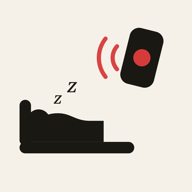
If you leave for work before your teenager gets up, agree on three things before the next school morning: their own alarm, a time to check in, and a backup person or action if you hear nothing. A remote alarm can support that plan, but an app response cannot tell you whether someone has got out of bed or left for school.
Work backwards from the time they need to leave
Write down the actual departure time, then allow time for breakfast, getting dressed and collecting school things. Put the first alarm early enough that there is still time to recover from one missed check-in. This is a scheduling exercise, not a reason to shorten sleep or keep adding louder alarms.
- The night before: pack the bag, agree on breakfast and charge the phone.
- At the agreed wake time: the teenager uses their own local alarm.
- At the check-in time: they send the agreed message or speak to you.
- If there is no response: follow your pre-agreed backup, with enough time left before departure.
Make the check-in specific
Choose a short action that both of you understand, such as a message after getting dressed. Agree who initiates it and when you will be available to notice it. If you are driving or cannot check your phone at work, nominate an available trusted adult or choose another routine. Do not design a plan that needs you to watch an app when you cannot safely do so.
Where a parent-controlled alarm helps
WakeKids lets a parent set or send a wake-up to a paired child phone and receive an in-app acknowledgement when the wake screen is acknowledged. Optional no-response alerts help show that the app has not received that interaction. This adds a parent-visible signal to the routine. It does not establish that your teenager is dressed, has left home or is at school.
Set up and test both phones together before the first workday. Test with the child phone locked and with the settings they normally use overnight. Check battery, connectivity and permissions; retain a separate local alarm. Start with how to set an alarm on another phone and WakeKids alarm troubleshooting.
Use a plan that your teenager helped choose
Discuss the arrangement while everyone is calm. Explain what you can see and what you cannot: a wake-screen acknowledgement is an app interaction, not surveillance of the morning. Review which part failed after a difficult day. A missed alarm, a forgotten check-in and a slow breakfast call for different changes.
If the main issue is repeated difficulty waking despite an adequate chance to sleep, discuss it with a healthcare professional. Increasing the number of alarms is not a diagnosis or a treatment. For general context, see the family sleep guidance below.
A checklist for the next school morning
- Agree on departure, alarm and check-in times.
- Confirm both phones are charged and the setup test succeeds.
- Choose a backup that does not depend on the same phone or connection.
- Leave the bag and essentials ready.
- Review the routine together after a few mornings.
Use the weekly wake-up schedule guide to turn the plan into a repeatable routine. If a remote backup fits your family, download WakeKids and test a one-time alarm together first.
Try a wake-up together
Install WakeKids on both phones, pair them and test a wake-up before the next school morning.